Example 2: Random vibration theory SRA
Random vibration theory analysis to compute surface response spectrum and site amplification functions.
[1]:
import matplotlib.pyplot as plt
import numpy as np

import pystrata

%matplotlib inline
[2]:
# Increased figure sizes
plt.rcParams["figure.dpi"] = 120
Create a point source theory RVT motion
[3]:
m = pystrata.motion.SourceTheoryRvtMotion(6.0, 30, "wna")
m.calc_fourier_amps()
[4]:
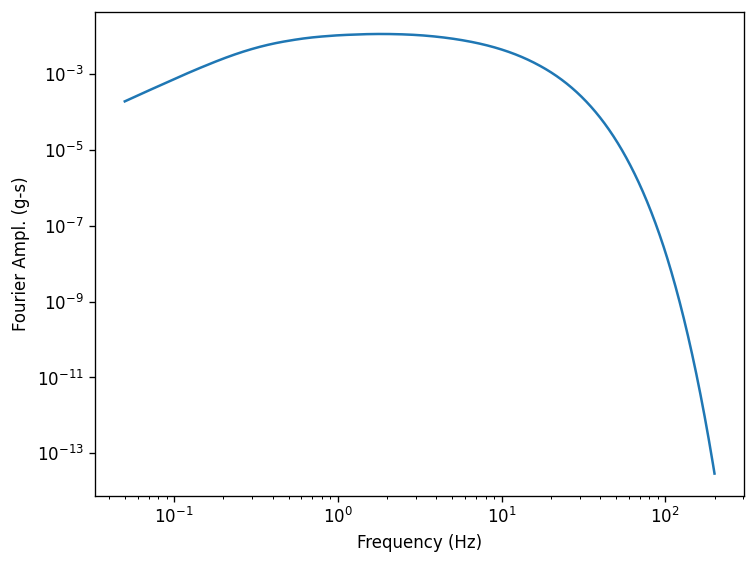
fig, ax = plt.subplots()
ax.plot(m.freqs, m.fourier_amps)
ax.set(
    xlabel="Frequency (Hz)", xscale="log", ylabel="Fourier Ampl. (g-s)", yscale="log"
)
fig.tight_layout();
Create site profile
This is about the simplest profile that we can create. Linear-elastic soil and rock.
[5]:
profile = pystrata.site.Profile(
    [
        pystrata.site.Layer(pystrata.site.SoilType("Soil", 18.0, None, 0.05), 30, 400),
        pystrata.site.Layer(pystrata.site.SoilType("Rock", 24.0, None, 0.01), 0, 1200),
    ]
)
Create the site response calculator
[6]:
calc = pystrata.propagation.LinearElasticCalculator()
Specify the output
[7]:
freqs = np.logspace(-1, 2, num=500)

outputs = pystrata.output.OutputCollection(
    [
        pystrata.output.ResponseSpectrumOutput(
            # Frequency
            freqs,
            # Location of the output
            pystrata.output.OutputLocation("outcrop", index=0),
            # Damping
            0.05,
        ),
        pystrata.output.ResponseSpectrumRatioOutput(
            # Frequency
            freqs,
            # Location in (denominator),
            pystrata.output.OutputLocation("outcrop", index=-1),
            # Location out (numerator)
            pystrata.output.OutputLocation("outcrop", index=0),
            # Damping
            0.05,
        ),
    ]
)
Perform the calculation
Compute the response of the site, and store the state within the calculation object. Nothing is provided.
[8]:
calc(m, profile, profile.location("outcrop", index=-1))
Calculate all of the outputs from the calculation object.
[9]:
outputs(calc)
Plot the outputs
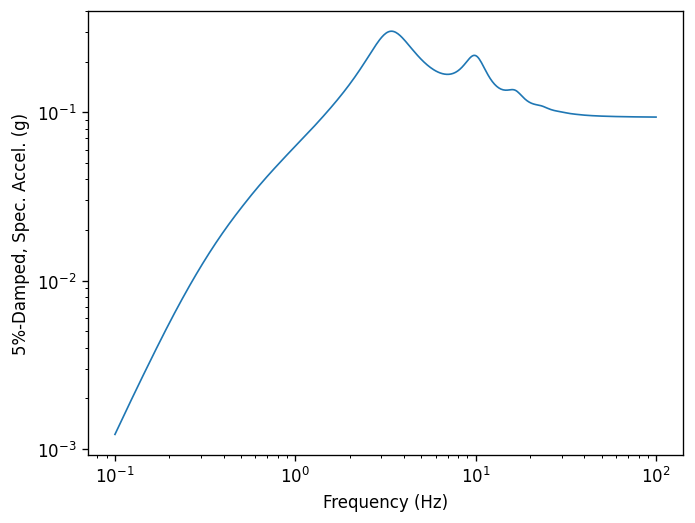
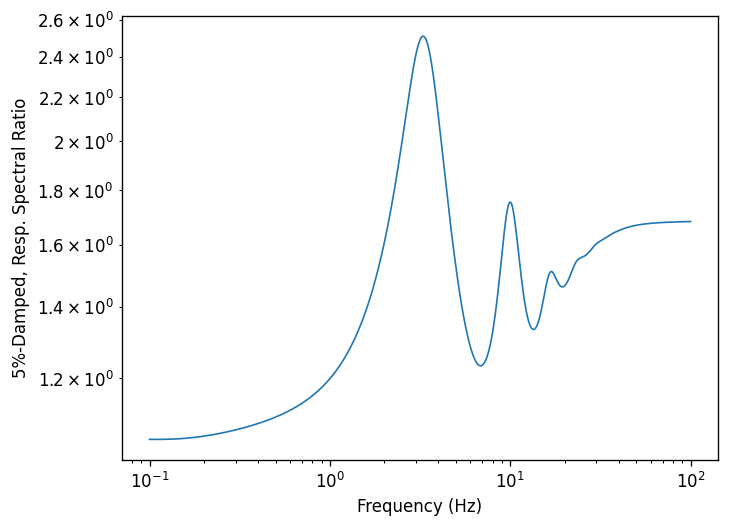
Create a few plots of the output.
[10]:
for o in outputs:
    o.plot(style="indiv")
[ ]: