Example 9: Quarter wavelength site amplification
Example of quarter-wavelength site amplification and fitting a profile to a target crustal amplification.
[1]:
import json

import matplotlib.pyplot as plt
import numpy as np

import pystrata

%matplotlib inline
[2]:
# Increased figure sizes
plt.rcParams["figure.dpi"] = 120
Load the WNA profile from Campbell (2003).
[3]:
with open("../tests/data/qwl_tests.json") as fp:
    data = json.load(fp)[1]

thickness = np.diff(data["site"]["depth"])

profile = pystrata.site.Profile()
for i, (thick, vel_shear, density) in enumerate(
    zip(thickness, data["site"]["velocity"], data["site"]["density"])
):
    profile.append(
        pystrata.site.Layer(
            pystrata.site.SoilType(f"{i}", density * pystrata.motion.GRAVITY),
            thick * 1000,
            vel_shear * 1000,
        )
    )

profile.update_layers(0)
Create simple point source motion
[4]:
motion = pystrata.motion.SourceTheoryRvtMotion(
    magnitude=6.5, distance=20, region="cena"
)
motion.calc_fourier_amps(data["freqs"])
[5]:
calc = pystrata.propagation.QuarterWaveLenCalculator(site_atten=0.04)
input_loc = profile.location("outcrop", index=-1)
[6]:
calc(motion, profile, input_loc)
[7]:
fig, ax = plt.subplots()
ax.plot(motion.freqs, calc.crustal_amp, label="Crustal Amp.")
ax.plot(motion.freqs, calc.site_term, label="Site Term")
ax.set(
    xlabel="Frequency (Hz)",
    xscale="log",
    ylabel="Amplitude",
    yscale="linear",
)
ax.legend()
fig.tight_layout();
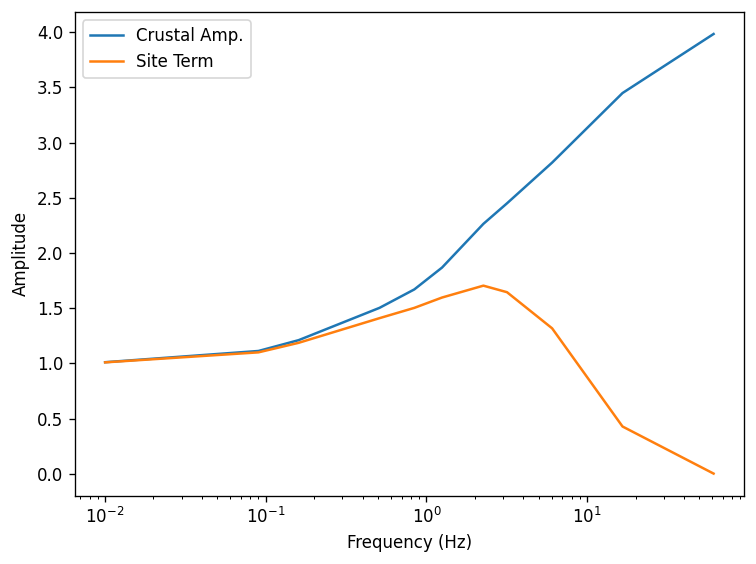
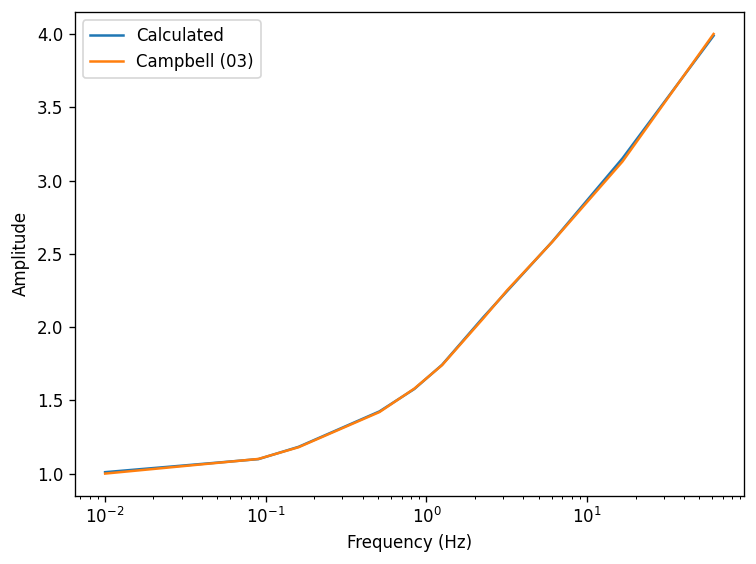
The quarter-wavelength calculation is tested against the WNA and CENA crustal amplification models provided by Campbell (2003). The test of the CENA model passes, but the WNA model fails. Below is a comparison of the two crustal amplifications.
[8]:
fig, ax = plt.subplots()
ax.plot(motion.freqs, calc.crustal_amp, label="Calculated")
ax.plot(data["freqs"], data["crustal_amp"], label="Campbell (03)")
ax.set(
    xlabel="Frequency (Hz)",
    xscale="log",
    ylabel="Amplitude",
    yscale="linear",
)
ax.legend()
fig.tight_layout();
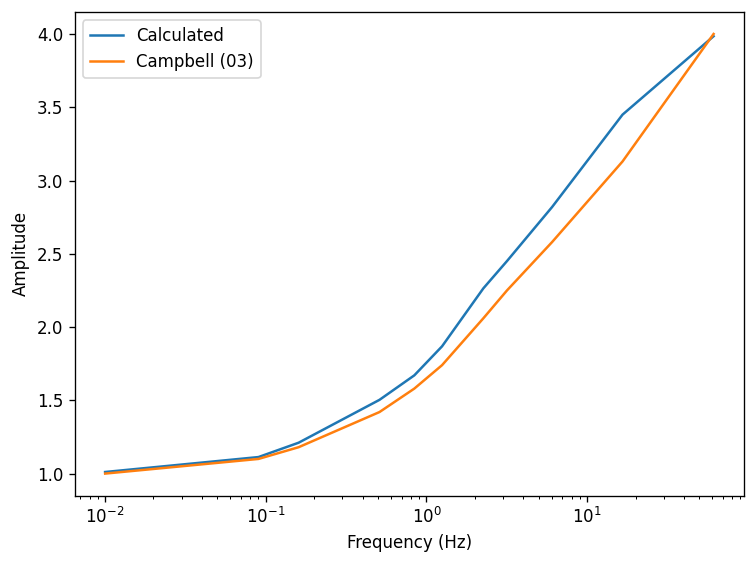
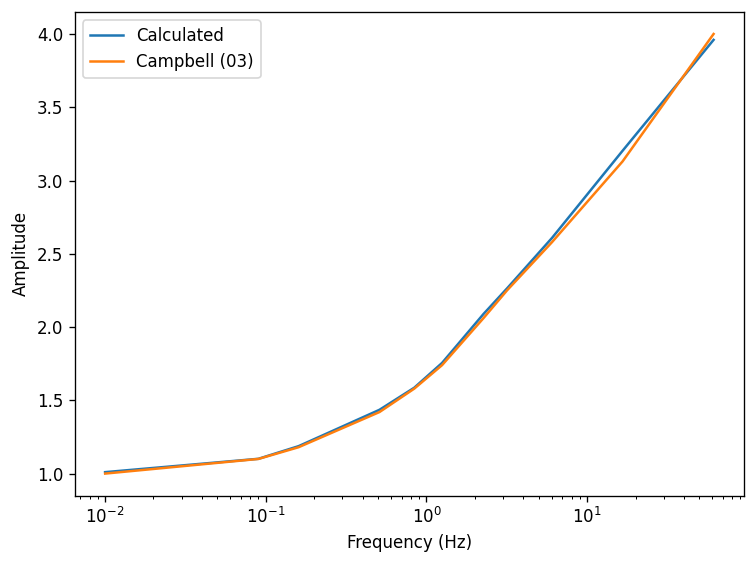
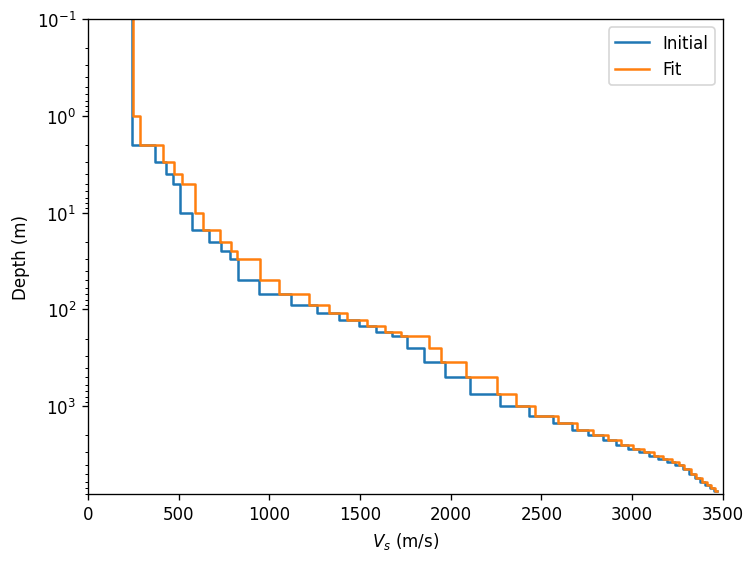
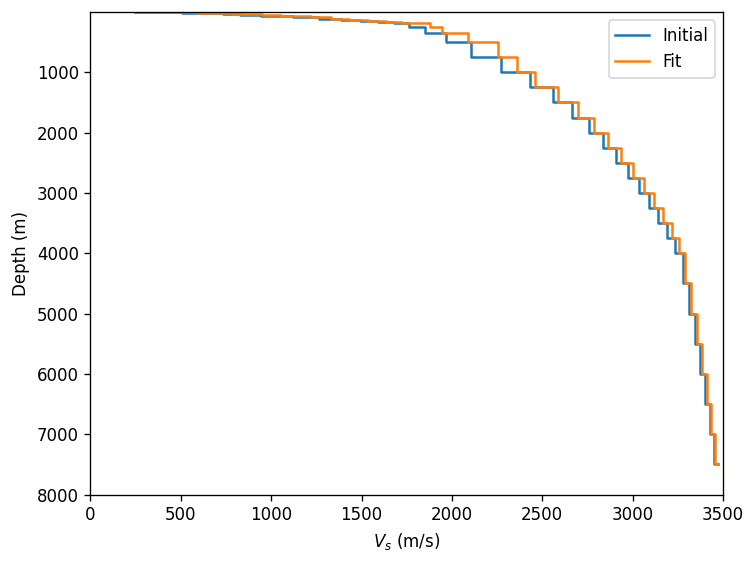
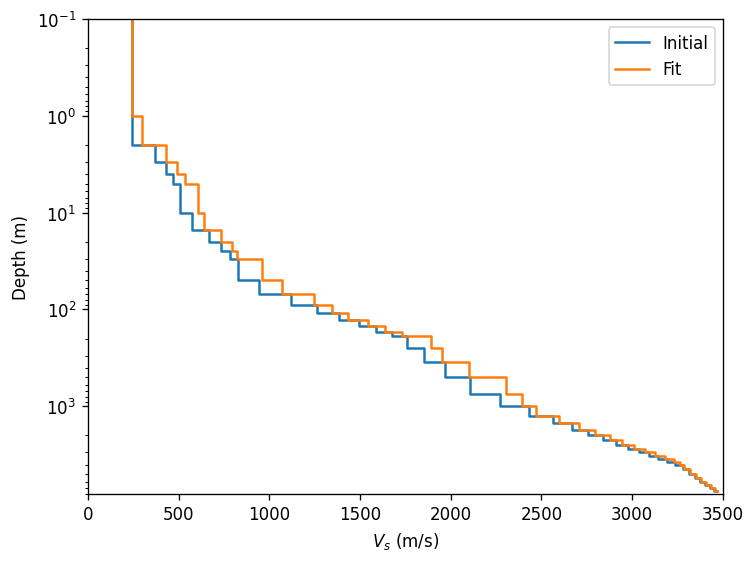
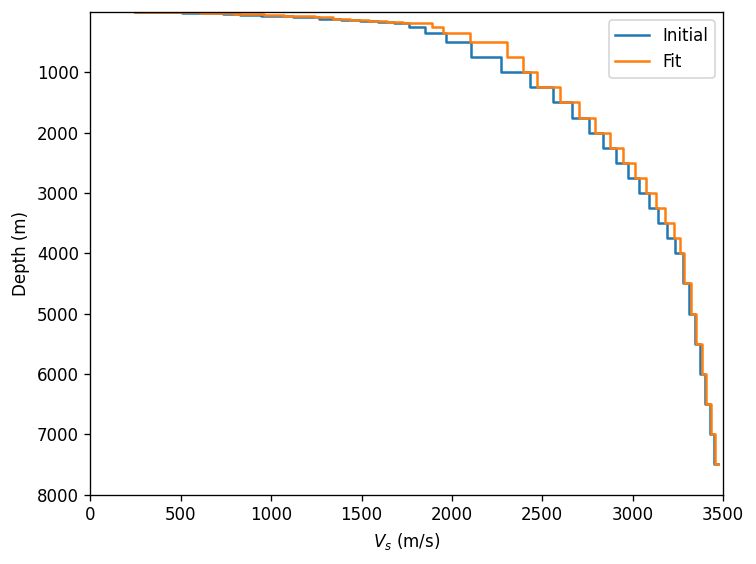
Adjust the profile to match the target crustal amplification – no consideration of the site attenuation paramater although this can also be done. First, the adjustment is only performed on the velocity. Second set of plots adjusts velocity and thickness.
[9]:
for adjust_thickness in [False, True]:
    calc.fit(
        target_type="crustal_amp",
        target=data["crustal_amp"],
        adjust_thickness=adjust_thickness,
    )

    fig, ax = plt.subplots()
    ax.plot(motion.freqs, calc.crustal_amp, label="Calculated")
    ax.plot(data["freqs"], data["crustal_amp"], label="Campbell (03)")
    ax.set(
        xlabel="Frequency (Hz)",
        xscale="log",
        ylabel="Amplitude",
        yscale="linear",
    )
    ax.legend()
    fig.tight_layout()

    for yscale in ["log", "linear"]:
        fig, ax = plt.subplots()

        ax.plot(
            profile.initial_shear_vel,
            profile.depth,
            label="Initial",
            drawstyle="steps-pre",
        )
        ax.plot(
            calc.profile.initial_shear_vel,
            calc.profile.depth,
            label="Fit",
            drawstyle="steps-pre",
        )

        ax.legend()
        ax.set(
            xlabel="$V_s$ (m/s)",
            xlim=(0, 3500),
            ylabel="Depth (m)",
            ylim=(8000, 0.1),
            yscale=yscale,
        )
        fig.tight_layout()
[ ]: